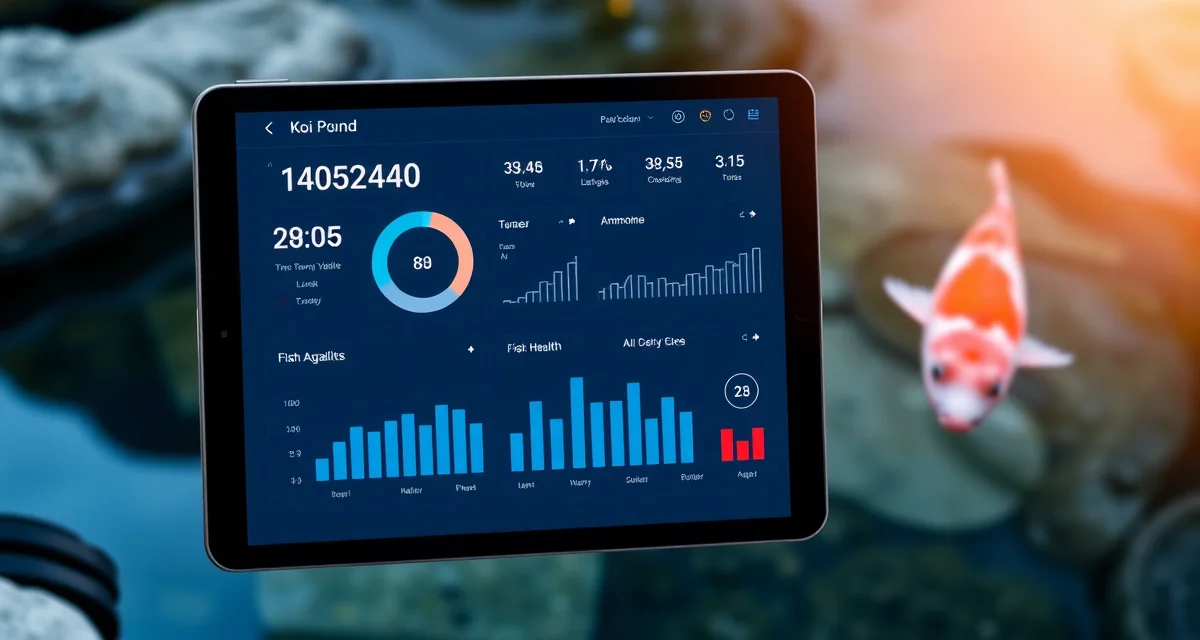
How to Track Koi Health Digitally: Moving Beyond Paper and Spreadsheets
Koi hobbyists who switch to digital tracking detect 4x more water quality events before fish show clinical stress symptoms. That's not because digital systems are magic; it's because they surface trends that paper can't show you.
Paper logs and spreadsheets have no alert capability. KoiQuanta's digital system sends proactive notifications before problems become crises. This guide walks you through setting up a complete digital koi health tracking system, from initial setup through daily logging to disease alerts.
TL;DR
- You don't need an aquaculture-level identification system; even simple entries like "Kohaku, approximately 14 inches, purchased 2024" give you enough to build a meaningful health history.
- After 4–6 weeks of consistent logging, you have a baseline for your pond.
- After 3–4 months, you have enough history to see seasonal patterns.
- Koi typically stop eating 2–5 days before other clinical signs appear.
- Going back 3–6 months of consistent paper records into KoiQuanta gives you enough historical context to start trend analysis immediately.
- Start with the most recent 3–6 months of consistent records: water quality test results with dates are the most valuable.
Step 1: Understand What You're Actually Tracking
Before you set anything up, clarify what a digital health tracking system needs to capture. The four pillars:
Water quality: Ammonia, nitrite, nitrate, pH, KH, GH, dissolved oxygen, temperature. These are your leading indicators; they change before fish show symptoms.
Fish health observations: Feeding behaviour, activity level, physical appearance, any visible symptoms. Your daily observations are the data that connects water quality trends to actual fish health outcomes.
Treatment records: Any chemical added to the pond: salt, formalin, medications, water treatments. Every dose, every date.
Quarantine records: For new fish, the full intake-through-clearance protocol including all observations, treatments, and clearance decisions.
A system that tracks all four pillar areas gives you a complete picture. A system that only tracks one or two leaves you with gaps.
Step 2: Set Up Your Pond Profile
The first thing to do in KoiQuanta, before logging anything, is set up your pond profile. This is the foundation that every future calculation and log entry builds on.
Your pond profile includes:
- Pond volume (in gallons or litres at operating water level)
- Water source type (tap, well, rainwater, or mixed)
- Filtration type and media
- Location (postcode or region, used for seasonal alerts)
- Stocking: fish count and approximate sizes
Once your pond profile is saved, KoiQuanta uses it automatically. Dose calculators pull your pond volume. Seasonal alerts reference your location. Stocking assessments compare your fish count to your volume.
Set this up once, accurately. It pays dividends every time you use the platform.
Step 3: Enter Your Fish Records
Create an individual record for each fish. You don't need an aquaculture-level identification system; even simple entries like "Kohaku, approximately 14 inches, purchased 2024" give you enough to build a meaningful health history.
For each fish record, KoiQuanta tracks:
- Source and acquisition date
- Variety and size (updated over time)
- Health history: all logged events associated with this fish
- Photo log: visual record over time
- Quarantine history: which koi quarantine program protocol it completed
Photo logging is particularly valuable for koi. Photographing each fish on a regular schedule lets you catch subtle changes: a ulcer starting as a small raised patch, a colour pattern change that indicates stress, weight loss that's only visible in comparison to an older photo.
Step 4: Set Up Your Water Quality Logging Routine
Digital tracking only works if you actually log. The data has to go in to come out as useful trend analysis.
Build a logging routine that works with your existing habits:
Daily: Temperature (takes 5 seconds with a probe)
Weekly: Ammonia, nitrite, pH
Monthly: KH, GH, nitrate, dissolved oxygen
Log these in KoiQuanta immediately after testing; don't write them down to enter later, because "later" often becomes never. The KoiQuanta mobile app is optimised for on-the-spot logging at the pond.
KoiQuanta's trend charts build automatically as you add data. After 4–6 weeks of consistent logging, you have a baseline for your pond. After 3–4 months, you have enough history to see seasonal patterns. After a year, you have the full annual cycle for comparison.
Step 5: Set Up Alerts
This is where digital tracking's advantage over paper is most obvious. You cannot set an alert in a notebook. You can in KoiQuanta.
Parameter alerts: Set threshold alerts for ammonia above 0.25 ppm, nitrite above 0.1 ppm, pH below 7.0 or above 8.5. When a logged reading crosses a threshold, you get a notification.
Trend alerts: More sophisticated than simple threshold alerts. KoiQuanta can flag when a parameter is trending in a concerning direction over multiple readings, even before it crosses the absolute threshold. This is the early warning capability that paper simply cannot provide.
Quarantine schedule alerts: Notification at each scheduled observation checkpoint (day 7, day 14, day 28). Retreatment reminders for ongoing salt or chemical treatments.
Seasonal alerts: Based on your location and logged temperature data, KoiQuanta flags seasonal transitions: when temperature is approaching the threshold to reduce feeding, when spring startup conditions are activating, when summer oxygen risk is elevated.
Step 6: Log Feeding Observations
Feeding behaviour is your earliest disease indicator. Koi typically stop eating 2–5 days before other clinical signs appear.
Log a quick feeding observation every day, not a detailed note, just a record: feeding normally / reduced interest / not eating. This takes 10 seconds. Over time, this data combined with your water quality logs reveals patterns that predict problems.
In KoiQuanta, the feeding log correlates with your water quality data. If a period of reduced feeding coincides with a gradual ammonia rise, that correlation is visible in your dashboard and points directly to the cause.
Step 7: Migrate Existing Records
If you have years of paper records or spreadsheet data, moving this to a digital system feels like a large project. It doesn't have to be.
Migration guide: transfer years of paper records into KoiQuanta in a structured format that unlocks trend analysis.
For spreadsheet records: Export as CSV and use KoiQuanta's import tool. Historical parameter data can be bulk-imported with date mapping.
For paper records: You don't need to digitise everything. The most valuable historical data to transfer is water quality test results (especially if you have dates and values), any disease events and treatments, and acquisition dates for your fish.
Going back 3–6 months of consistent paper records into KoiQuanta gives you enough historical context to start trend analysis immediately. You don't need five years of data before the system starts being useful.
Step 8: Treatment Logging
Every chemical addition to your pond gets logged with:
- Date and time
- Compound name
- Dose added (calculated via KoiQuanta's dose calculator)
- Reason for treatment
- Pond conditions at treatment time (temperature, ammonia, etc.)
This creates a treatment history that's invaluable when comparing outcomes. Which treatment protocol cleared a Costia infection fastest? How many retreatment sessions did the last anchor worm infestation require? When did salt concentration drop below therapeutic after the last water change?
These answers are in your treatment log, if you've been logging.
Is Digital Koi Tracking Better Than a Spreadsheet?
Yes, for reasons beyond storage format. The difference is active vs. passive. A spreadsheet holds data you enter. KoiQuanta:
- Alerts you when parameters trend in the wrong direction
- Calculates doses automatically
- Schedules quarantine steps and retreatment reminders
- Correlates feeding, water quality, and treatment data across time
- Generates compliance reports for dealers
A spreadsheet requires you to check it, interpret it, and decide what to do. KoiQuanta comes to you with what it's noticed.
What should I track in a koi health log?
The four essential categories: water quality parameters (ammonia, nitrite, pH, KH, temperature at minimum), daily feeding observations (normal / reduced / not eating), physical health observations (any visual symptoms, behaviour changes), and treatment records (any chemical addition with dose and date). Water quality is your leading indicator; track it consistently and everything else starts making more sense. KoiQuanta's koi pond water quality tracker handles all four categories in a single integrated system.
How do I migrate my paper koi records to a digital system?
Start with the most recent 3–6 months of consistent records: water quality test results with dates are the most valuable. Enter these into KoiQuanta's water quality tracker with the correct dates using the historical entry function. For spreadsheet records, use KoiQuanta's CSV import tool with date mapping. You don't need to transfer everything; recent history gives you enough baseline for trend analysis to start working. Going forward, log everything digitally from day one.
Is digital koi tracking better than a spreadsheet?
Digital purpose-built tracking (KoiQuanta specifically) outperforms spreadsheets on every meaningful capability: trend alerts that notify you before you check, dose calculators that prevent errors, quarantine scheduling that manages itself, compliance export for dealers, and cross-correlation of water quality with feeding and health observations. Spreadsheets require you to do all interpretation manually. KoiQuanta does the pattern recognition and surfaces what you need to know. The koi disease treatment tracker and koi pond water quality tracker are the two tools that make the most immediate practical difference.
FAQ
What is How to Track Koi Health Digitally: Moving Beyond Paper and Spreadsheets?
Digital koi health tracking replaces paper logs and spreadsheets with a structured system that records water quality parameters, fish behavior, feeding patterns, and health events over time. KoiQuanta's platform organizes this data to surface trends and send proactive alerts before problems escalate. Unlike static records, digital tracking builds a searchable history that reveals seasonal patterns, early disease signals, and water quality correlations invisible to manual review.
How much does How to Track Koi Health Digitally: Moving Beyond Paper and Spreadsheets cost?
KoiQuanta offers tiered pricing to fit hobbyists at different levels. The core digital tracking features are accessible without aquaculture-level investment. Exact plan pricing is listed on the KoiQuanta website, but the system is designed to be cost-effective compared to the expense of treating sick fish or losing valuable koi to undetected water quality events that consistent digital monitoring would have flagged days earlier.
How does How to Track Koi Health Digitally: Moving Beyond Paper and Spreadsheets work?
You log water quality test results, fish observations, feeding behavior, and any health events directly into KoiQuanta. The system timestamps entries, builds trend graphs, and compares current readings against your established baseline. After 4–6 weeks of consistent logging you have a usable baseline; after 3–4 months you can see seasonal patterns. Automated alerts notify you when parameters drift outside normal ranges before fish show visible stress.
What are the benefits of How to Track Koi Health Digitally: Moving Beyond Paper and Spreadsheets?
Digital tracking detects up to 4x more water quality events before fish show clinical symptoms compared to paper logs. You gain proactive alerts, long-term trend visibility, seasonal pattern recognition, and a complete searchable health history per fish. Early detection is the biggest benefit: koi typically stop eating 2–5 days before other symptoms appear, and a digital system flags that behavioral shift before the situation becomes a crisis.
Who needs How to Track Koi Health Digitally: Moving Beyond Paper and Spreadsheets?
Any koi keeper who wants to move from reactive to proactive pond management benefits from digital tracking. It's especially valuable for hobbyists with multiple fish, high-value koi, or ponds that have experienced recurring unexplained health issues. If you've ever lost a fish and wished you had more data to understand why, or if your paper logs have gaps that make trend analysis impossible, this system is built for you.
How long does How to Track Koi Health Digitally: Moving Beyond Paper and Spreadsheets take?
Initial setup takes an hour or less: enter your fish with basic details like variety, size, and purchase date, then import your most recent 3–6 months of paper records. Water quality test results with dates are the most valuable historical data to migrate first. From there, daily logging takes only a few minutes. A meaningful baseline forms in 4–6 weeks; actionable seasonal trend data accumulates over 3–4 months.
What should I look for when choosing How to Track Koi Health Digitally: Moving Beyond Paper and Spreadsheets?
Look for a system that offers automated alerts rather than passive record storage, supports per-fish health histories, and makes trend visualization easy without requiring manual chart building. It should be simple enough for daily use without becoming a chore. KoiQuanta is purpose-built for koi keeping rather than adapted from generic aquarium or aquaculture software, which means the parameters, terminology, and alert logic are relevant to pond hobbyists specifically.
Is How to Track Koi Health Digitally: Moving Beyond Paper and Spreadsheets worth it?
Yes, if you keep koi with any seriousness about their health. The core value isn't convenience—it's early detection. Catching a water quality event or behavioral change 2–5 days before clinical symptoms appear can be the difference between a simple treatment and a significant loss. For keepers with valuable fish or a history of unexplained health issues, the insight from even one averted crisis justifies the switch from paper entirely.
Sources
- Associated Koi Clubs of America (AKCA)
- Koi Organisation International (KOI)
- University of Florida IFAS Extension Aquaculture Program
- Fish Vet Group
- Water Quality Association
Make the Switch Today
The longer you wait to start digital tracking, the more historical baseline you're missing. Set up your pond profile now, log your next water test digitally, and let the trend data build from there.
Start your free KoiQuanta trial and log your first test today.