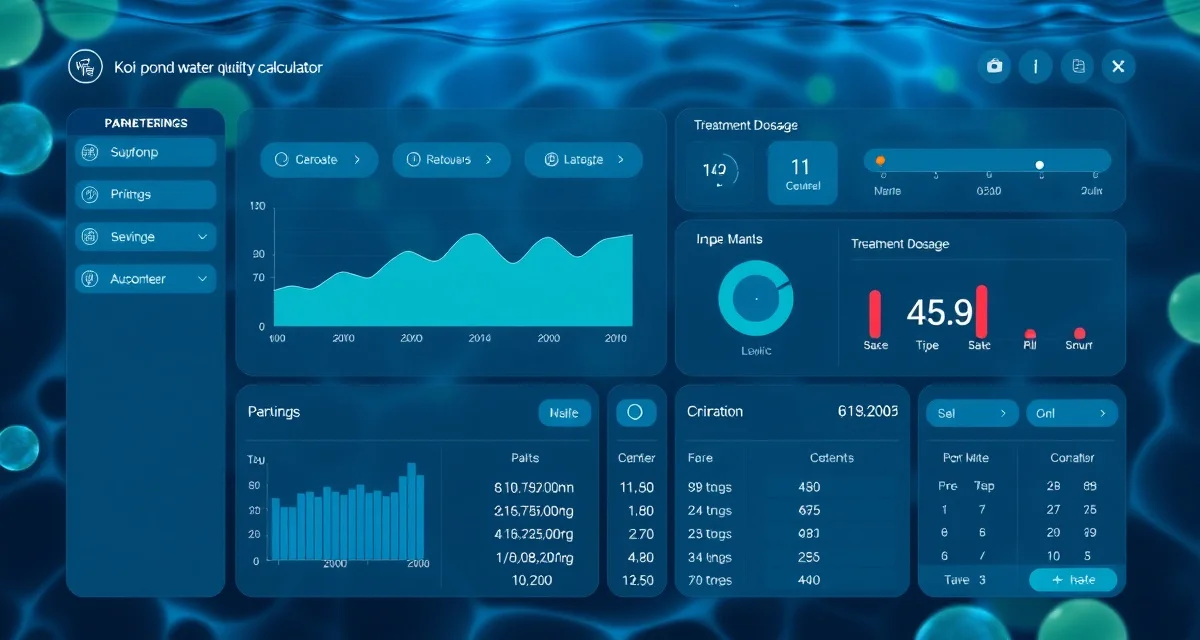
Koi Water Quality Calculator: Dose Treatments Based on Real Parameters
There's a critical step that most koi treatment guides skip over. They tell you what dose to use per gallon, but they assume you've already done the math correctly, with the right pond volume, the right starting conditions, and no transcription errors along the way.
That's a generous assumption. Manual calculation errors cause roughly one in five treatment overdoses, and with some koi medications, getting it wrong by a factor of two is enough to kill the fish you're trying to save.
KoiQuanta's integrated water quality calculator changes how this works. Instead of pulling a number from a test strip and manually plugging it into a separate calculation, your latest logged water test results pre-fill the dose calculators automatically. The volume is already there. The current parameter reading is already there. You're checking the math, not doing it from scratch.
TL;DR
- You enter your target concentration of 0.3%.
- Tracking trends over time reveals issues before they become visible in fish behavior.
- KoiQuanta connects observations, water data, and treatment records in one searchable history.
- Early detection based on parameter trends reduces treatment costs and fish stress.
- Seasonal changes require adjusted monitoring schedules; automated reminders help maintain consistency.
Why Pre-Filled Calculators Matter
When you're stressed about a sick fish at 7am, you don't want to be converting milliliters to gallons and looking up organic load correction factors. You want a number you can trust.
The risk with manual calculation isn't that hobbyists are careless. It's that the steps are easy to mess up under pressure. Wrong pond volume estimate. Forgetting to account for current salt concentration. Using a calculator designed for aquariums rather than ponds. Every one of those errors translates directly into an incorrect dose.
KoiQuanta's pond volume calculator stores your pond's volume permanently from the first time you set it up. Every dose calculator in the system pulls from that stored profile. Your water test history feeds in automatically from the water quality tracker. You're not entering numbers, you're confirming them.
What the Calculator Covers
The water quality calculator is a central tool that connects to specific calculators for each treatment type. Here's what it handles:
Salt treatment doses. Enter your target concentration, and the calculator determines the exact amount to add based on your pond volume and current measured salinity. It calculates incrementally, so it accounts for salt already present in the water rather than treating every calculation as a zero-baseline scenario.
pH buffering. If your pH is drifting, the calculator can estimate the buffering agent quantity needed to shift it to your target range based on your pond's current KH (carbonate hardness) and volume.
Water change volumes. Enter the parameter you want to reduce, and the calculator tells you what percentage water change is needed to bring it down to a target level. This is particularly useful for nitrate and salt concentration management.
Specific treatment chemicals. Formalin, potassium permanganate, praziquantel, and other treatments each have their own calculators with built-in safe-range guidance, but they all connect back to your stored pond profile.
The Safe-Range Guidance Feature
Every calculation comes with a safety check. When your calculated dose falls outside the recommended therapeutic window for that compound, the calculator flags it. This isn't just a warning label. It tells you whether you're underdosing (treatment won't be effective) or approaching a threshold where risk increases.
This matters most with compounds like formalin and potassium permanganate, where the gap between therapeutic and lethal concentrations is narrow. Having a flag built into the calculation step prevents the scenario where the math is technically correct but the resulting dose is inadvisable based on your pond's current conditions.
How the Calculator Works in Practice
Here's a typical workflow. You test your pond, log the results in KoiQuanta's water quality tracker, and decide you need to treat for parasites with a salt dose calculator.
You open the salt dose calculator. Your pond volume is already populated from your profile. The calculator shows your current estimated salt concentration based on your last logged reading and any treatments since then. You enter your target concentration of 0.3%. The calculator tells you exactly how much salt to add in pounds or kilograms, with the incremental adjustment already accounted for.
You log the treatment. The system updates your estimated current salt level. When you plan your next water change, the water change impact calculator uses that updated figure to tell you how much salt you'll need to add back after the change to maintain therapeutic levels.
Everything connects. No manual data entry between steps.
When Parameters Change
Water parameters don't stay fixed. If you test and find that your ammonia has risen since your last test, the dose calculators that are affected by ammonia levels update accordingly. Formalin dosing, for example, should be adjusted based on current water conditions. If your dissolved oxygen is low, the calculator flags that formalin treatment at that point would be inadvisable because formalin depletes oxygen.
This kind of connected, context-aware calculation is what separates a koi-specific tool from a generic dilution calculator you find on a general aquarium forum. Those tools give you a number. KoiQuanta gives you a number that accounts for what's actually happening in your pond right now.
Frequently Asked Questions
How does the koi water quality calculator work?
The calculator pulls your pond volume from your stored profile and your latest water test readings from your logged history. When you open a dose calculator for any treatment, those values are pre-filled so you're working from real data rather than manually entering measurements each time. You confirm the values, enter your target, and the calculator outputs the dose with built-in safe-range checking.
Can I calculate a water change dose in KoiQuanta?
Yes. The water change impact calculator lets you enter a target parameter level and the system calculates what percentage water change is needed to reach it from your current measured value. It also shows how the water change will affect other parameters, including salt concentration and any active treatments, so you can plan top-up doses accordingly.
Does KoiQuanta update dose calculations when my water parameters change?
When you log a new water test, the system updates the active parameter values that feed into connected calculators. If your ammonia rises or your salt concentration changes due to a water change, those updated values carry through into any new dose calculations you run. The system is always working from your most recent logged data rather than static assumptions.
What is Koi Water Quality Calculator: Dose Treatments Based on Real Parameters?
KoiQuanta's Koi Water Quality Calculator is an integrated tool that pre-fills treatment dose calculators with your latest logged water test results. Rather than manually transferring numbers from a test strip into a separate calculation, your pond volume and current parameter readings are already populated. This eliminates transcription errors — a leading cause of treatment overdoses — and ensures every dose recommendation is based on your actual pond conditions, not generic assumptions.
How much does Koi Water Quality Calculator: Dose Treatments Based on Real Parameters cost?
KoiQuanta's water quality calculator is included as part of the KoiQuanta platform. Pricing depends on the subscription tier you choose. Since the calculator is built into the same system where you log water tests and track fish health, you get the full benefit without paying separately for a standalone dosing tool. Check KoiQuanta's pricing page for current plan options and any free trial availability.
How does Koi Water Quality Calculator: Dose Treatments Based on Real Parameters work?
You log your water test results into KoiQuanta as normal. When you navigate to a treatment dose calculator — for salt, formalin, or other medications — the system automatically pre-fills your pond volume and the relevant current parameter reading. You review the pre-populated values, enter your target concentration (for example, 0.3% salt), and the calculator outputs the correct dose. You're verifying the math rather than building it from scratch, which significantly reduces the risk of error.
What are the benefits of Koi Water Quality Calculator: Dose Treatments Based on Real Parameters?
The main benefit is accuracy. Manual calculation errors cause roughly one in five treatment overdoses, and some koi medications have a narrow margin where getting the dose wrong by even a factor of two can be fatal. Beyond safety, the calculator also connects treatment records, water data, and fish observations into a single searchable history. Tracking parameter trends over time lets you detect problems before they show up in fish behavior, reducing both treatment costs and fish stress.
Who needs Koi Water Quality Calculator: Dose Treatments Based on Real Parameters?
Any koi keeper who treats their pond with medication needs this tool. It's especially valuable for hobbyists managing larger ponds where volume calculations are complex, keepers who treat infrequently and can't rely on muscle memory, and anyone who has ever second-guessed their math mid-treatment. Professional pond managers and serious hobbyists tracking multiple parameters across seasonal cycles also benefit significantly from having automated reminders and integrated trend data.
How long does Koi Water Quality Calculator: Dose Treatments Based on Real Parameters take?
The calculator itself takes seconds to use — your water test data is already logged, so the dose calculation is near-instant. The broader time investment is in maintaining regular water testing logs so the pre-fill data stays current and accurate. Seasonal changes require adjusted monitoring schedules, and KoiQuanta's automated reminders help you stay on track. Consistent logging over weeks and months is what unlocks the trend detection that makes early intervention possible.
What should I look for when choosing Koi Water Quality Calculator: Dose Treatments Based on Real Parameters?
Look for a calculator that integrates directly with your water test logging rather than operating as a standalone form. Pre-filled values from real logged data are far safer than re-entering numbers manually each time. You also want support for the specific treatments you use — salt, formalin, potassium permanganate, and others. Trend tracking, searchable history, and seasonal reminder features distinguish a comprehensive platform from a basic calculator widget.
Is Koi Water Quality Calculator: Dose Treatments Based on Real Parameters worth it?
Yes, for anyone who treats koi with medication. The stakes of a dosing error are high — overdoses can kill the fish you're trying to save, and underdoses allow disease to progress. Eliminating manual transcription errors alone justifies the tool. The added value of connected water history, trend detection, and treatment records means you're not just calculating safer doses today; you're building a data foundation that makes every future treatment decision more informed.
Related Articles
Sources
- Associated Koi Clubs of America (AKCA)
- Koi Organisation International (KOI)
- University of Florida IFAS Extension Aquaculture Program
- Fish Vet Group
- Water Quality Association